Hi, I installed Rocky on Alienware computer, actually there be no sound playing. How or what should I do to actually have the voice played out. Even with an earphone, there be no voice coming out of Rocky. If you know how fix it, please help me. Thanks a lot.
lshw and/or lspci
First step: find out what your sound hardware is.
What do I do to check for sound hardware. I opened up settings, can only have seen the computer hardware, in sound setting there showed Dummy Output, any suggestion?
Can help me with another issue? When asked type password in terminal, I can’t type in any word? What is this problem? How to solve it?
Use lshw and/or lspci, as stated earlier.
And the password doesn’t show as you type it in. That’s a security measure. It’s still getting entered. Just type carefully.
Thank you for the help. I will try.
Hi Frank, i typed in lspci, the hardware should be NVIDIA Corporation GA106 High Definition Audio Controller(rev al), what is the next step? Thanks.
I searched information, it seems that the article told me to install driver to fix this sound output problem.
As stated in “the article”, whichever one it is, now that you know what the audio hardware actually is, you need to install the proper driver.
How to install the corresponding driver on linux? Could you have some instuctions for me, thank you.
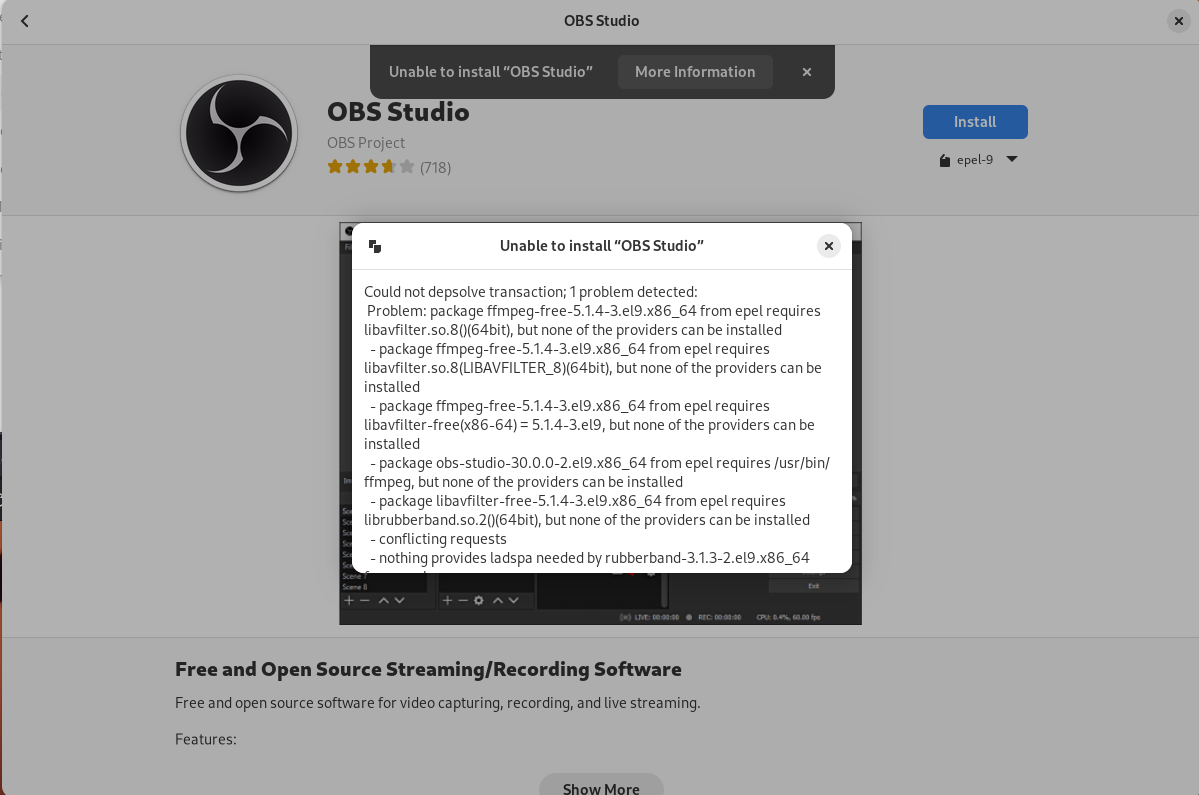
Another question, when i try installing software from the app store, some software installation showing error that could not depsolve transaction, how about solving this one? Thanks.
Google found this article for me:
You can try google yourself to find additional articles. I haven’t tried that method myself – no need to since I don’t have a nvidia card in any of my computers. But that should give you a place to start.
When you say “could not depsolve transaction” are you attempting to state that there are missing dependencies? If that’s what you mean, then the issue is either a missing repository setup in your installation or a mirror that’s out of sync with the current rpms, or a poorly packaged and possibly faulty rpm. Or all of the above, possibly. It depends on what you are trying to install and you didn’t specify that.
Thank you for the article you found for me, it really a good help. i will check that out myself. Also a big thanks telling me that when password not showing on the terminal, it actually inputs in. I met up this issue on kali, it always stucks me. Due to you, i now every time rest assured input the invisible password, a great help.
For the specific installation error, i had post a screenshot, please have a look on it. I am a freelancer, i wanted to translate from English to Chinese and do some content creating work. As your statements for ‘all of the above’, i think they are all right. If i encounter with all these situations, what should i do? Thank you.
You need to install rpmfusion, as shown here:
Alternatively, you can install obs studio from their “official” flatpak, here:
OK. Thank you for the help. Sincerely.

If you look at the rest of the info from your command, after the “not registered” bit it clearly shows flatpak is installed. It seems for some reason you have subscription-manager installed, so this is why you get that info about it not being registered. You can ignore that, since this is not RHEL.
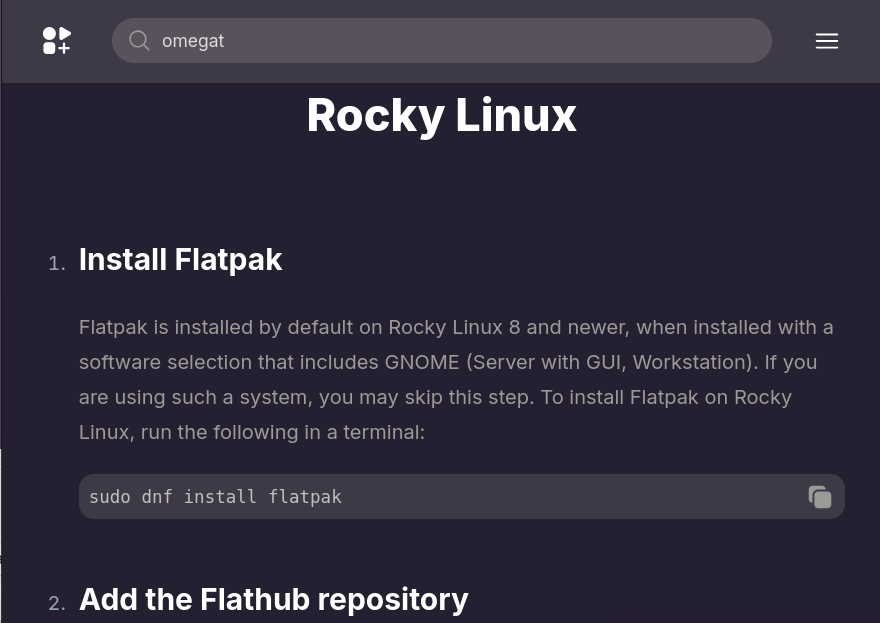
Once you have flatpak installed, all you then need to do are add the repositories. See the Rocky documentation here: Flatpak - Documentation
in particular quoted from those docs:
once you have that, you can then install packages. It’s easy enough then to open the software app as this is where it shows the flatpak packages as being available when you search for them.
Thank you very much for the help. i think i might lacking of repository, after installing repository it should be fully working. i have read the instruction, will reboot the computer next time to see if it really go working.
actually the flathub is installed on the computer, but it does not fully worked, when i try installing some other software it showing me that i might lack of something that caused me not be able to installing.
Thanks for the help. I will reboot the computer next time, if booting now will lose the current status.
thank you for the help, the flathub should be fully working now due to the adding repository method. thanks.
a good news telling that the flathub now be working fully that any software including obs studio could be actually installed. i think the contribution for that maybe due to the providing rpm fusion method, thanks a lot for that information.