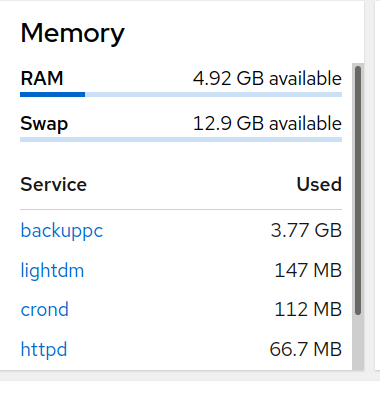
The other day I had tried to load a 25 KiB png image and it repeatedly failed. So I aborted the new post regarding a question about memory usage display in the cockpit GUI. I did not see any guidelines in the Site FAQ regarding image format criteria. Is there such?
Nothing in the forum settings that I can see. I’ve uploaded images before, or even with the image open in Gimp or something else and just done copy/paste. So not sure what your issue was.
Just tried drag and drop and it still failed with 0% uploaded. To confirm that it wasn’t an issue with my network I created a test post on Fedoraforum and the image uploaded successfully. I cancelled the post as the issue would not make sense there.
Yeah, sometimes images can play tricks on you. I don’t know why, but I had a simular thing with a JPG some time ago. I think I used convert to “convert” it into the same format, and then it worked. Something like:
$ convert foobar{,_new}.jpg
I’ve tried different images both png and jpg generated by different means. I’ve also switched to the rich text editor where a thumbnail of the image appears but in all cases the upload dialog remains at 0% and times out. I tried different machines all on my network with the same result here. I can upload images to fedoraforum w/o issue.
I’ve have no problem with copy/paste to code blocks, quote blocks or links here.
Are you using noscript or some other advertising/javascript blocker? I’ve never tried to upload an image here but I wonder if it uses some hocus pocus that requires your web browser to do something that you’ve disallowed.